



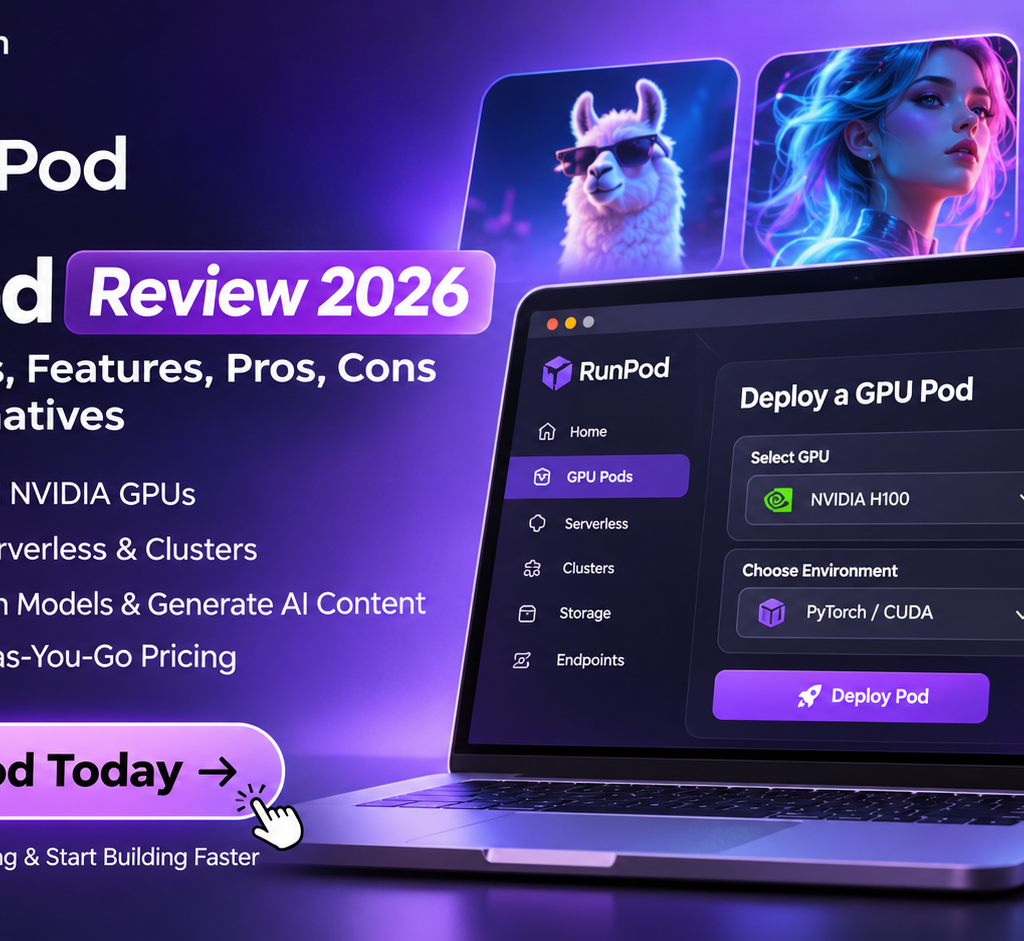
If you’re developing AI applications, training machine learning models, generating AI images, or running large language models (LLMs), you already know that GPU computing can become expensive.
Buying a high-end NVIDIA GPU requires a significant upfront investment. Traditional cloud providers can also make GPU infrastructure complicated and expensive, particularly when you need computing resources for only a few hours or have unpredictable workloads.
That’s where RunPod comes in.
RunPod is a cloud GPU platform that allows developers, AI researchers, startups, and businesses to rent powerful GPUs without purchasing physical hardware. You can deploy GPU-powered environments, run machine learning workloads, train models, generate images, and deploy AI inference APIs.
But is RunPod actually worth using in 2026? How much does it cost? Which GPUs can you rent? And how does it compare with alternatives such as Vast.ai and Lambda Labs?
In this guide, we’ll examine RunPod’s features, pricing, GPU options, use cases, limitations, and alternatives to help you decide whether it’s the right GPU cloud platform for your workload.
Quick verdict: RunPod is worth considering if you need flexible access to NVIDIA GPUs without investing in your own hardware. Its combination of on-demand GPU Pods, Serverless inference, and multi-GPU Clusters makes it particularly useful for developers and AI teams with changing computing requirements.
Try RunPod and explore available GPU configurations →
What Is RunPod?

RunPod is a cloud computing platform specializing in GPU infrastructure for artificial intelligence, machine learning, deep learning, and other GPU-intensive applications.
Instead of purchasing an expensive workstation with an NVIDIA RTX 4090, RTX 5090, A100, or H100 GPU, you can rent computing resources through RunPod and pay according to your usage.
The platform provides three primary infrastructure options:
- GPU Pods: Dedicated GPU instances for development, experimentation, model training, and running applications.
- Serverless: GPU-powered API endpoints that automatically scale according to incoming requests.
- Clusters: Multi-GPU infrastructure for demanding workloads requiring distributed computing.
RunPod also offers persistent storage options and public model endpoints for accessing pre-deployed AI models.
One important distinction is that RunPod isn’t simply an AI model marketplace. It’s primarily an infrastructure platform that gives you access to the computing resources required to build, train, and operate AI applications.
RunPod Pricing 2026: How Much Does It Cost?
Pricing is one of the biggest considerations when choosing a GPU cloud provider.
RunPod uses usage-based pricing, meaning you don’t necessarily need to commit to an expensive monthly infrastructure subscription.
Its pricing depends on the GPU model, deployment type, storage requirements, and whether you’re using Community Cloud or Secure Cloud.
RunPod GPU Pods pricing

Here are examples of published hourly GPU rates from RunPod’s pricing page, checked in November 2026.
| GPU | VRAM | Published hourly price |
|---|---|---|
| NVIDIA B300 | 288GB | $8.99/hr |
| NVIDIA H200 | 141GB | $5.29/hr |
| NVIDIA B200 | 180GB | $7.99/hr |
| RTX PRO 6000 | 96GB | $2.49/hr |
| NVIDIA H100 NVL | 94GB | $3.19/hr |
| NVIDIA H100 PCIe | 80GB | $2.89/hr |
| NVIDIA H100 SXM | 80GB | $3.99/hr |
| NVIDIA A100 PCIe | 80GB | $1.79/hr |
| NVIDIA L40S | 48GB | $1.09/hr |
| RTX 6000 Ada | 48GB | $0.99/hr |
| NVIDIA RTX 4090 | 24GB | $0.89/hr |
| NVIDIA RTX 3090 | 24GB | $0.50/hr |
| NVIDIA L4 | 24GB | $0.59/hr |
Prices are published examples, not guaranteed quotes. Actual availability and pricing can vary by cloud type, region, GPU configuration, and time. Check the live pricing page before deploying.
For example, if you rent an RTX 4090 at $0.89 per hour:
- 1 hour: $0.89
- 10 hours: $8.90
- 50 hours: $44.50
- 100 hours: $89
This makes it easier to estimate computing costs before starting a project.
However, remember that GPU rental isn’t the only potential expense. Storage, idle instances, persistent volumes, and other infrastructure requirements can increase your final bill.
RunPod Serverless pricing

RunPod Serverless is designed for developers who want to deploy AI inference applications without continuously managing dedicated GPU servers.
Rather than maintaining an always-running GPU instance, you can configure workers that process incoming requests and scale according to demand.
Published hourly-equivalent rates include:
| GPU category | Published price |
|---|---|
| B300 | $11.99/hr |
| B200 | $10.79/hr |
| H200 | $6.99/hr |
| H100 | $5.39/hr |
| A100 | $2.72/hr |
| L40S / RTX 6000 Ada | $1.75/hr |
| A6000 / A40 | $1.22/hr |
| RTX 5090 | $1.79/hr |
| RTX 4090 | $1.34/hr |
| L4 / A5000 / RTX 3090 | $0.75/hr |
Serverless pricing is metered according to worker usage, rather than requiring you to pay for a continuously running dedicated GPU when using flexible workers.
This can be particularly useful for applications with irregular traffic, such as image-generation services, AI assistants, and document-processing tools.
RunPod storage pricing
Storage is another expense you should consider when estimating your total infrastructure cost.
RunPod publishes the following storage rates:
| Storage type | Price |
|---|---|
| Container Disk | $0.10/GB/month |
| Running Volume Disk | $0.10/GB/month |
| Idle Volume Disk | $0.20/GB/month |
| Network Storage under 1TB | $0.07/GB/month |
| Network Storage over 1TB | $0.05/GB/month |
| High-Performance Network Storage | $0.14/GB/month |
Don’t overlook storage costs, particularly if you regularly stop GPU instances but retain large datasets and model files.
Check the latest rates: RunPod official pricing page.
RunPod Features: What Do You Get?

RunPod offers several infrastructure features that make it useful for developers, researchers, and businesses working with AI workloads.
1. On-demand GPU Pods
GPU Pods are one of RunPod’s main offerings.
You can select a GPU configuration, deploy an instance, and access a remote computing environment for your applications.
Common workloads include:
- Training machine learning models.
- Running large language models.
- Fine-tuning existing AI models.
- Generating images and videos.
- Running Stable Diffusion and ComfyUI.
- Experimenting with PyTorch and TensorFlow.
- Developing AI-powered applications.
The main advantage is flexibility. You can select a GPU according to your workload rather than purchasing hardware that might remain underutilized.
2. RunPod Serverless
Serverless is particularly interesting for developers building production AI applications.
Imagine you’ve developed an image-generation application. Your users might generate 500 images in one hour and only 20 images during the next hour.
Maintaining a dedicated GPU instance throughout periods of low demand can waste money.
RunPod Serverless addresses this problem through automatically scaling workers.
Its main capabilities include:
- Automatic scaling according to demand.
- Scale-to-zero with flexible workers.
- Pay-per-second worker billing.
- API-based inference deployment.
- Support for custom containerized workloads.
- Options for pre-warmed workers.
RunPod also advertises FlashBoot for reducing worker startup delays.
For startups building AI SaaS products, this infrastructure model can be more practical than maintaining dedicated GPU servers for every application.
3. Multiple NVIDIA GPU configurations
Not every AI workload requires an expensive H100 or H200.
For smaller projects, a GPU with 16GB or 24GB of VRAM may be sufficient. Larger language models and demanding training workloads can require substantially more memory.
RunPod provides access to different GPU categories, including:
- RTX 3090 and RTX 4090.
- RTX 5090.
- NVIDIA A40 and A100.
- NVIDIA L40 and L40S.
- NVIDIA H100 and H200.
- NVIDIA B200 and B300.
This variety allows developers to compare configurations according to memory requirements, performance, and budget.
4. Multi-GPU Clusters
If your application requires more computing power than a single GPU can provide, RunPod also offers GPU Clusters.
Clusters support multi-GPU workloads, shared storage, and configurations designed for distributed computing.
They are particularly relevant for:
- Large-scale AI model training.
- Distributed machine learning.
- High-performance computing.
- Large language model workloads.
- Enterprise AI infrastructure.
RunPod advertises cluster configurations supporting up to 64 GPUs, with reserved infrastructure options for larger enterprise requirements.
5. Public Model Endpoints
Another useful feature is RunPod’s Public Endpoints.
These provide API access to pre-deployed AI models without requiring you to configure an entire GPU environment yourself.
Depending on availability, you can access models for:
- Image generation and editing.
- Text generation.
- Speech and audio processing.
- Video generation.
- Other AI inference workloads.
This can reduce infrastructure setup for developers who want to integrate existing AI models into their applications.
What Can You Use RunPod For?

RunPod is useful across several AI and machine learning workflows.
Here are some practical examples.
AI image generation
If you’re building an AI image-generation application or experimenting with Stable Diffusion, RunPod provides remote GPU resources for running image-generation workloads.
You can use GPU Pods to deploy tools such as ComfyUI and experiment with different models, workflows, and custom configurations.
This is useful when your local computer doesn’t have sufficient GPU memory.
Large language model development
Developers working with LLMs often require substantial GPU memory for inference, fine-tuning, and training.
RunPod offers GPU configurations suitable for different model sizes and computing requirements.
You can use it to experiment with open-weight models, build AI assistants, test inference performance, and develop custom applications.
The GPU you need depends on model size, quantization, context length, batch size, and concurrency.
AI video generation
AI video generation can require considerably more GPU resources than ordinary image generation.
RunPod can provide the infrastructure required to run supported video-generation models and workflows.
This is particularly useful for developers experimenting with video generation, image-to-video systems, and AI-powered creative applications.
Machine learning and deep learning
Researchers and developers can use RunPod for machine learning experiments involving PyTorch, TensorFlow, neural networks, and other GPU-accelerated frameworks.
Instead of purchasing expensive hardware for occasional experiments, they can rent computing resources when required.
Building AI SaaS products
For SaaS founders, GPU infrastructure is often one of the most important technical decisions.
For example, you might be building:
- An AI image editor.
- An AI video generator.
- An automated transcription platform.
- An AI document-processing application.
- A custom chatbot.
- An AI-powered content-generation tool.
RunPod Pods can support development and experimentation, while Serverless can help deploy inference workloads that experience variable traffic.
RunPod Pros and Cons

Before choosing any cloud infrastructure provider, you should understand its limitations as well as its advantages.
RunPod pros
- Flexible GPU selection: Access different NVIDIA GPU configurations according to your computing requirements.
- Usage-based billing: Pay according to the infrastructure you use instead of purchasing physical hardware.
- Serverless inference: Deploy GPU-powered APIs with automatic worker scaling.
- Multiple deployment options: Choose between Pods, Serverless, and Clusters.
- AI development support: Suitable for image generation, LLMs, machine learning, and other GPU-intensive applications.
- Scalability: Start with a single GPU and move towards larger configurations when required.
- Persistent storage options: Retain project data and model files across supported deployments.
RunPod cons
- Infrastructure knowledge required: Configuring containers, models, networking, and dependencies can be challenging for beginners.
- Variable GPU availability: The availability of specific GPUs can depend on the selected cloud type and region.
- Additional storage costs: Persistent storage can increase the overall cost of a project.
- Cost management: Forgetting to stop instances or manage storage can result in unnecessary expenses.
- Not a fully managed AI development environment: You may still need to configure and maintain your own application environment.
RunPod is more suitable for users comfortable working with technical infrastructure than for people looking for a completely managed, no-code AI application builder.
RunPod vs Vast.ai vs Lambda Labs: Which GPU Cloud Is Better?

RunPod isn’t the only platform offering cloud GPU rentals.
Vast.ai and Lambda Labs are two alternatives worth considering.
The right choice depends on whether you prioritize lower rental prices, GPU availability, infrastructure management, or production inference capabilities.
| Feature | RunPod | Vast.ai | Lambda Labs |
|---|---|---|---|
| Primary focus | GPU cloud and AI infrastructure | GPU marketplace | GPU cloud infrastructure |
| GPU Pods / instances | Yes | Yes | Yes |
| Serverless inference | Yes | Yes | Not a core offering |
| Multi-GPU infrastructure | Yes | Yes | Yes |
| GPU selection | Broad selection | Marketplace-based | More focused selection |
| Billing | Usage-based | Usage-based | Usage-based |
| Best suited for | AI developers and startups | Price-conscious GPU users | AI training and research |
RunPod vs Vast.ai
Vast.ai operates a GPU marketplace where independent providers list available computing resources.
Its marketplace model can offer competitive prices, but pricing and infrastructure quality can vary between providers.
RunPod is worth considering if you want a more integrated GPU infrastructure platform with Pods, Serverless, and Clusters.
Choose Vast.ai if finding a competitively priced GPU is your primary concern and you’re comfortable evaluating individual providers.
RunPod vs Lambda Labs
Lambda is focused on GPU cloud infrastructure for AI training, research, and demanding computing workloads.
It can be a suitable option for teams looking for high-performance GPU instances and cluster infrastructure.
RunPod provides a wider range of deployment options, particularly for developers who also need Serverless inference and access to different GPU tiers.
If you’re building an AI application with variable inference traffic, RunPod deserves a closer look.
Our recommendation: Don’t choose a GPU cloud provider based solely on its cheapest advertised hourly rate. Compare actual GPU availability, VRAM, storage, startup time, reliability, and total workload cost.
Is RunPod Worth It in 2026?
RunPod is worth considering if you need access to GPU infrastructure without purchasing and maintaining your own high-performance hardware.
Its biggest advantage is the combination of different computing models.
You can use GPU Pods for development, Serverless for inference applications, and Clusters for distributed workloads.
However, it isn’t automatically the cheapest option for every GPU or workload.
If you’re running long-term, predictable workloads, compare the total cost against reserved GPU infrastructure and other providers. If you need occasional computing power, usage-based GPU rental can be a more practical approach.
For AI developers, independent researchers, startups, and businesses experimenting with machine learning, RunPod offers a flexible starting point.
How to Get Started With RunPod
Getting started doesn’t require purchasing physical GPU hardware.
Follow these general steps:
- Visit the RunPod website and create an account.
- Open the GPU Pods section if you need a dedicated GPU environment.
- Select your preferred GPU configuration based on VRAM and computing requirements.
- Choose the appropriate cloud type and deployment configuration.
- Configure your container image, storage, and networking requirements.
- Deploy your GPU instance.
- Connect to the environment and start running your AI workload.
- Monitor your usage and stop instances when you no longer need them.
If you’re building an inference application, explore RunPod Serverless instead of automatically deploying a dedicated GPU Pod.
Ready to explore cloud GPU infrastructure?
Frequently Asked Questions About RunPod
1. Is RunPod free to use?
RunPod is not a permanently free GPU cloud service. You generally pay for the computing resources and storage you use. Check the official pricing page for current rates and any available promotional credits.
2. How much does RunPod cost per hour?
Pricing depends on the GPU model and deployment type. Published GPU Pod examples range from around $0.27 per hour for an RTX A5000 to $8.99 per hour for a B300 configuration. Rates can change, so check current availability before deploying.
3. Is RunPod good for AI image generation?
Yes. RunPod can provide GPU resources for running AI image-generation workflows, including supported Stable Diffusion and ComfyUI environments.
4. Can I run LLMs on RunPod?
Yes. You can deploy supported large language models using GPU Pods or configure Serverless endpoints for inference. Your GPU requirements depend on model size, VRAM, quantization, and expected traffic.
5. Does RunPod offer NVIDIA H100 GPUs?
Yes. RunPod lists NVIDIA H100 configurations, including H100 PCIe, H100 SXM, and H100 NVL.
Final Verdict: Should You Choose RunPod?
Choosing the right GPU cloud provider depends on what you’re building and how much computing power you actually need.
RunPod makes sense for developers who want flexible access to GPU infrastructure without purchasing expensive hardware.
Its GPU Pods are useful for development and experimentation, Serverless is suitable for variable inference workloads, and Clusters provide options for larger computing requirements.
It isn’t the right solution for every business, particularly if you need a completely managed, no-code AI development platform. But if you’re comfortable working with cloud infrastructure and want more control over your GPU workloads, it’s worth evaluating.
Explore RunPod and find the GPU configuration that fits your project.
Start building with RunPod today →
Published by WPDailyLive.com | AI Tools, SaaS Reviews, Technology & Software Guides
Affiliate disclosure: This article contains an affiliate link. If you sign up or make a qualifying purchase through our link, WPDailyLive may earn a commission at no additional cost to you. Our recommendations are based on product features, use cases, and publicly available information.